6 CapCut and Edits Templates You Must Try
Don't have hours to edit videos to the beat of the music? You don't have to. We’ve selected the trendiest CapCut and Edits templates that are racking up millions of views on Reels and TikTok right now. From fast-paced lifestyle vlogs and fashion transformations to funny interactive trends, we'll show you how to easily use them for both your personal profile and your business brand.
Creating Reels Has Never Been Easier. Why Bet on Templates?
Constantly coming up with a new concept from scratch is exhausting. Plus, social media algorithms love it when you jump on a trending audio and editing wave. Templates do the heavy lifting for you. You just supply the footage and have a professional video ready in minutes.
Here are 6 templates shaking up the internet right now:
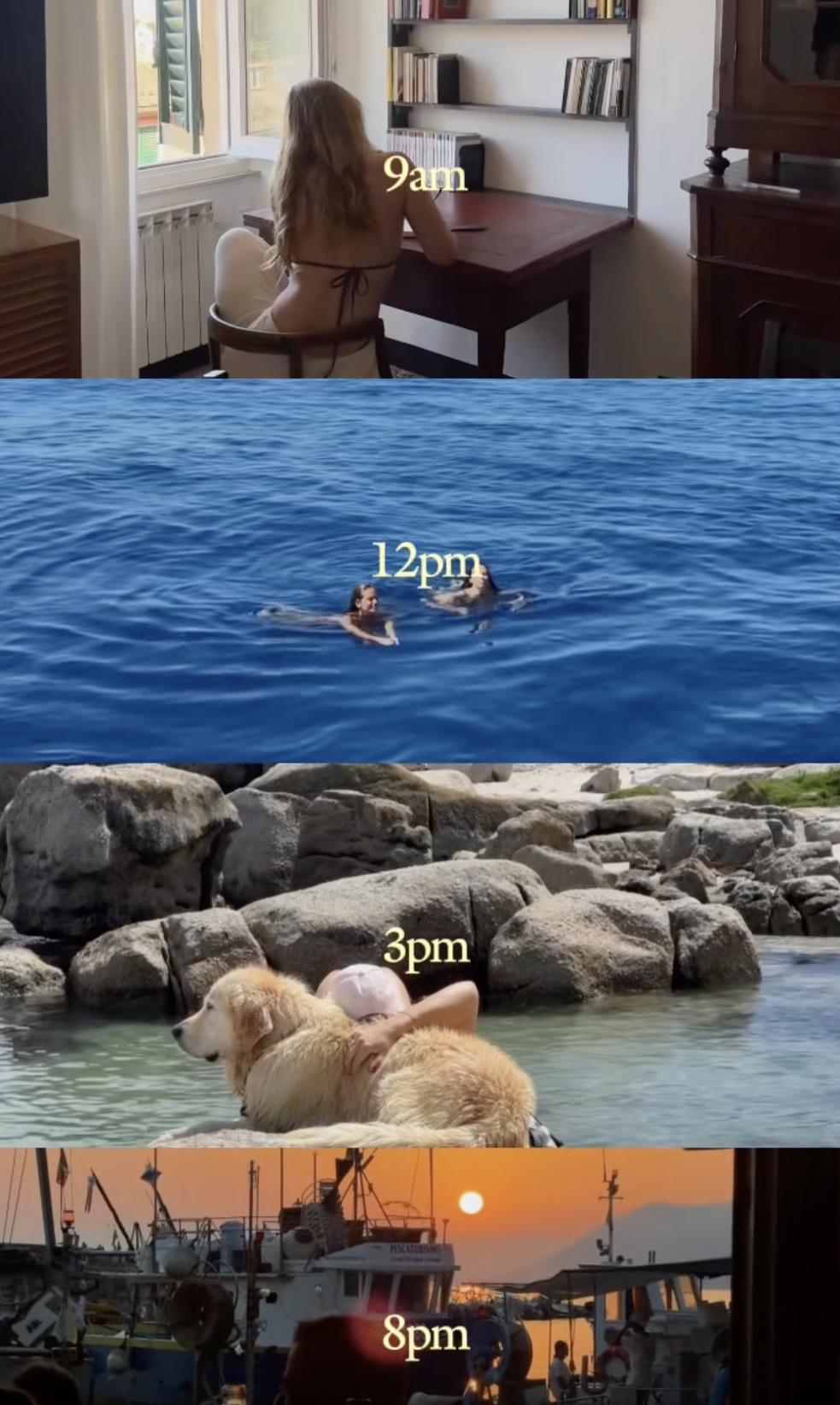
1. Template: "AM to PM Grid" (Your Day in 4 Windows)
- What it’s about: This visual trend is completely blowing up on socials. It showcases your day from morning to night in a sleek grid. All you need are 4 landscape videos representing 4 different times of day. CapCut does the rest of the magic for you.
- How to use it as a creator:
- Idea: Show your daily routine without making the video a minute long. Morning coffee, commuting to work/school, an afternoon gym session, and chilling with Netflix at night. It’s a super fast, aesthetic, and dynamic format that keeps viewers engaged.
- How to use it as a brand:
- Idea: Great for hotels, restaurants, cafes, or wellness centers. Show "A Day at Our Resort" from a guest's perspective (Breakfast -> Relaxing by the pool -> Massage -> Candlelit dinner). The viewer instantly gets the full experience in one quick flash.
 2. Template: "World Stop, Carry On" (Fashion Transformation)
- What it’s about: The queen of outfit transitions. The concept is to film several of your outfits, with a specific hand movement being the key element. You need to sync this movement perfectly to the beat of the music in the template. When Beyoncé says "World stop," the video freezes, and on "Carry on," it continues with a new outfit.
- How to use it as a creator:
- Idea: A perfect recap of your vacation or festival outfits. You get to showcase creativity and style, and thanks to the dramatic pause in the music, the video has a massive "wow effect" that makes people want to rewatch it.
- How to use it as a brand:
- Idea: An absolute must-have for fashion brands and e-shops. Use the template to introduce a new summer collection or different color variants of a single product. The hand movement creates momentum, and the beat-matching ensures viewers won't scroll away.
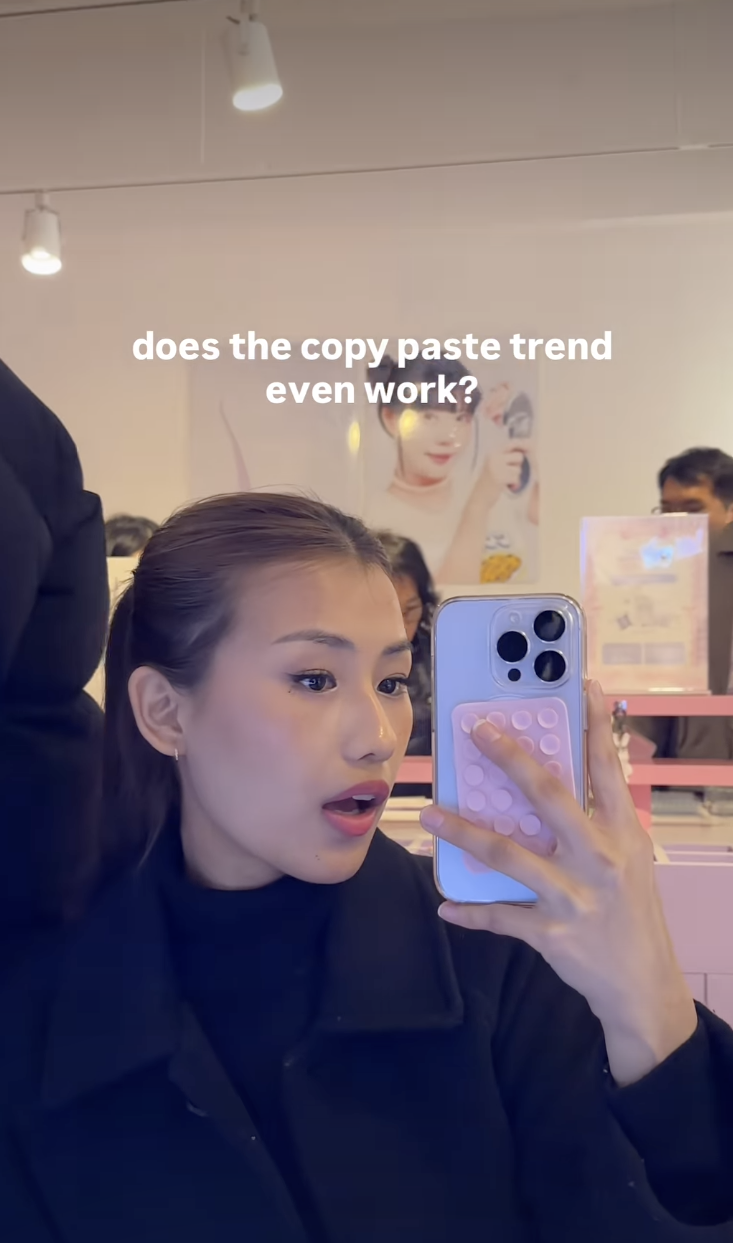
3. Interactive Template: "Copy + Paste" (How to Hack the Algorithm?)
-
What it’s about: A funny and highly interactive trend aimed at rapid follower growth that is currently breaking Instagram. You can find this template in the Edits app. It uses text claiming that Instagram has a glitch, and if the viewer follows exact steps, their notifications will explode. The text in the template reads:
follow my steps: 1. follow me, 2. unfollow me, 3. follow me again, 4. like this reel, 5. comment DONE, 6. watch your notifications. The scrolls kept going istg. Instagram is glitching so do it before they fix it!
-
How to use it as both a creator and a brand:
- Idea: This is pure psychology and playing along with the algorithm. People are curious and love to see if it actually works. By directly prompting them to comment ("DONE") and double-tap to follow, your engagement will skyrocket. The algorithm will flag the video as viral and push it further. It’s a great, slightly cheeky experiment to entertain your community.
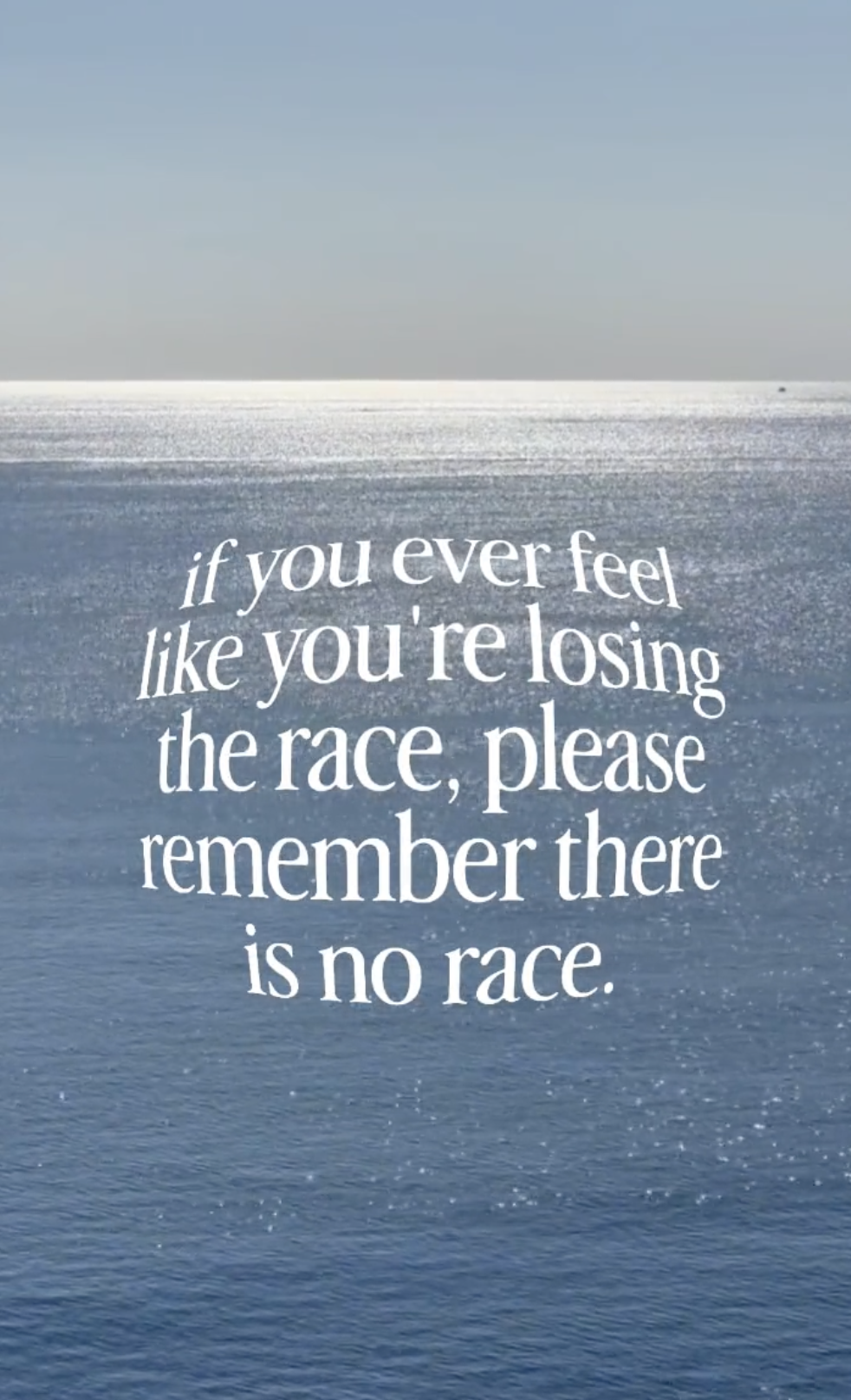
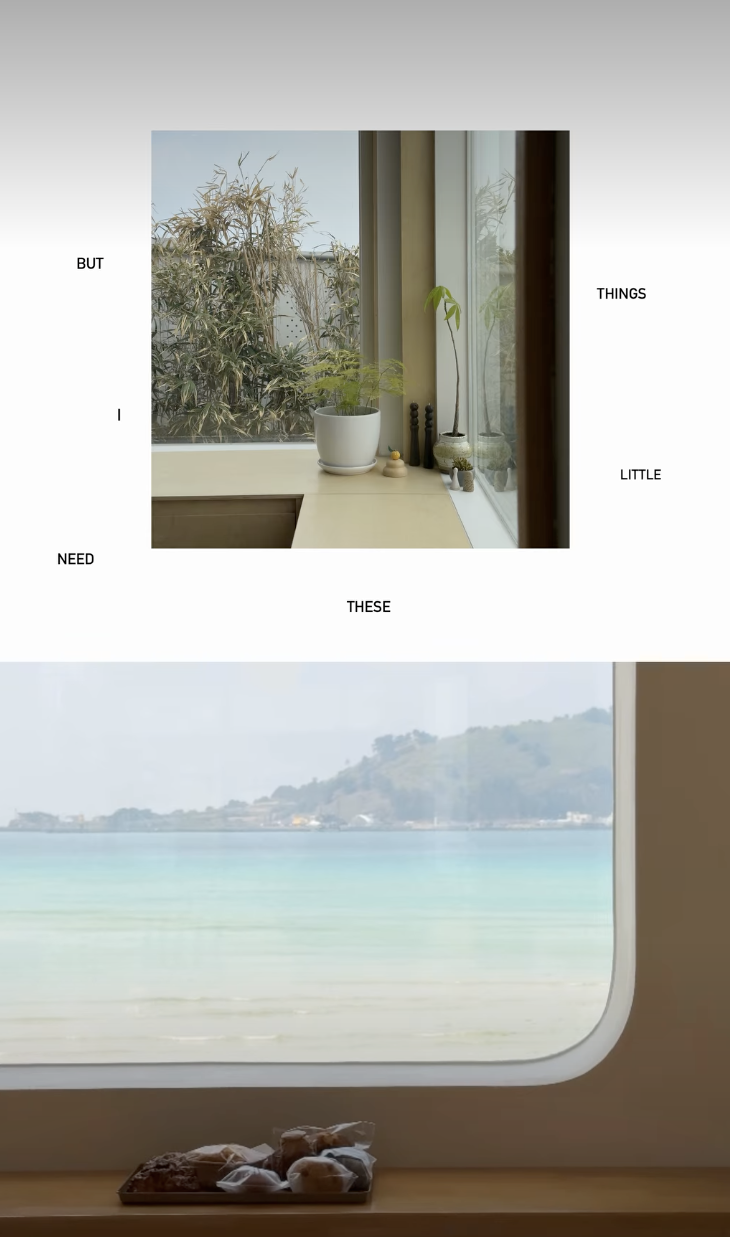
 4. Template: Creative Text/Font in Video
- What it’s about: A minimalist yet visually extremely popular trend. A specific, stylish font has taken over socials in recent days. In this CapCut template, you just need to upload one of your videos (ideally an aesthetic or calm one) as a background and overwrite the text with any thought or message you want to share with your community.
- How to use it as a creator:
- Idea: Use it to share your "unpopular opinions," deep thoughts, motivation, or quick tips from your industry. People love clean design and enjoy reading the text, which increases your video's watch time.
- How to use it as a brand:
- Idea: Share your brand values, a manifesto, or the story behind your business. The font gives the video a premium and modern look, whether you sell cosmetics, designer furniture, or online courses.
 5. Template: Vertical Aesthetic
- What it’s about: If you are looking for a clean, elegant aesthetic that immediately grabs the viewer's attention, this vertical template from the Edits app is exactly for you. It splits or frames the image to highlight vertical lines, giving the video a cinematic, calming vibe that makes it impossible to just scroll past.
- How to use it as a creator:
- Idea: Ideal for capturing moody moments (so-called mood videos). Use it for cinematic travel shots, morning light hitting your room, or close-ups of your creative process. The goal is to evoke pure emotion and peace in the viewer.
- How to use it as a brand:
- Idea: Sell the vibe, not just the product. Instead of hard-selling, use this template to show a close-up of your cream being applied, or the morning view from your apartment window. Aesthetic videos have the highest save rates, which the algorithm absolutely loves.
 6. Template: Playful Optical Illusion (Rhythmic Hand Movements)
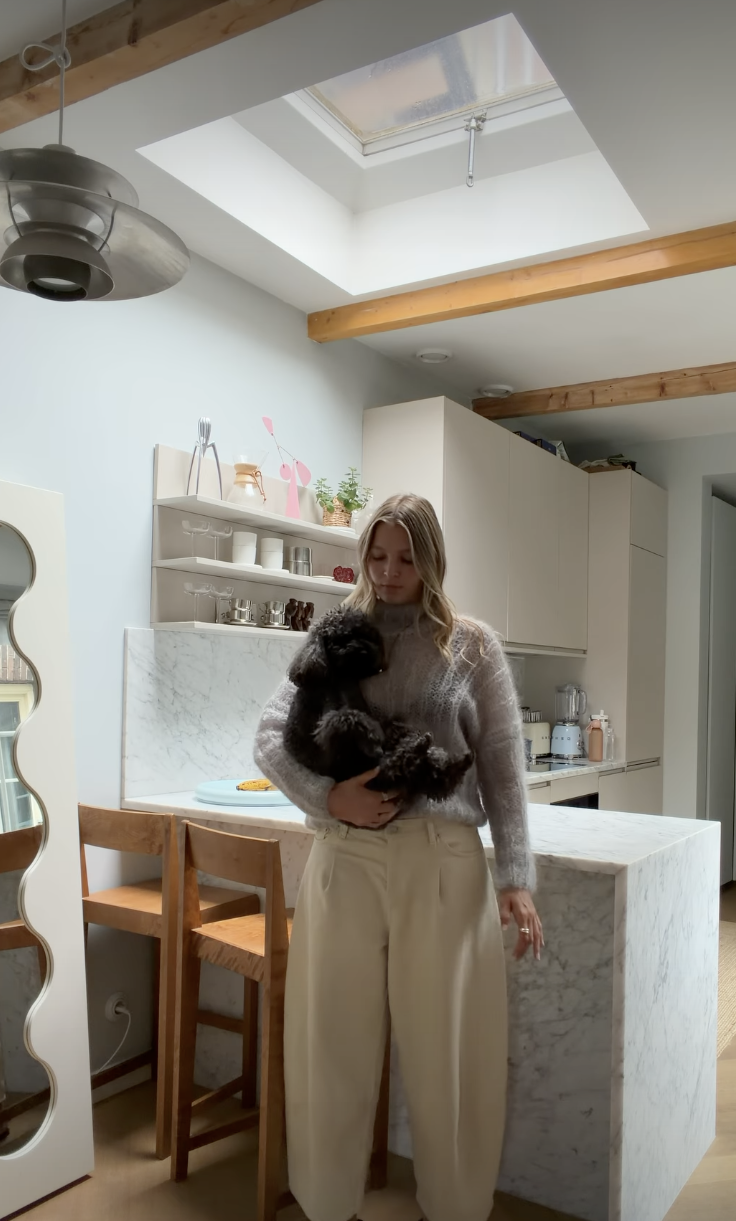
- What it’s about: An extremely funny, playful, and dynamic trend. The concept involves rhythmically moving your hands in front of the camera while changing your position and camera angles. After a series of these fast movements, the main surprise of the video suddenly appears in a close-up. The whole thing feels very organic and entertaining.
- How to use it as a creator:
- Idea: Use the hand movements to proudly (or humorously) reveal your child making a mess at the end of the video, or your dog looking funnily into the camera. The community loves cute and authentic, real-life content.
- How to use it as a brand:
- Idea: A great way to introduce your favorite product or bestseller in an unconventional way. After a series of hand movements, "magically" reveal your product in the frame (e.g., a candle, a package, food). This shows an informal, human side of your brand that isn't afraid to have fun.
 Templates will save you hours of work, but don't forget to add your own signature touch. Tailor the texts and videos to speak the language of your target audience, and don't be afraid to experiment.
Carl for Social
Don't miss what's coming next.
Stay on top of social media trends and tips that help you grow your content on Instagram, TikTok, Facebook, and YouTube. Download Carl for Social — it's free.
Download app