How to Land Brand Deals for Black Friday and the Holidays: 5 Things Brands Look For in a Creator
Two creators, the same number of followers, completely different results. When choosing creators for Black Friday and the holidays, brands ask themselves five questions and decide in a few seconds. Whether you’re an influencer or a UGC creator, we’ll show you what those questions are and how to answer them with your profile on the Carl for Social app, so brands pick you all season long.
During the holiday season, from Black Friday through Christmas, brands spend more on creator partnerships than at any other time of year. When choosing UGC creators and influencers, they look at five things: whether the profile is verified through social media, whether the creator fits their niche and market, how good the videos are, how much the collaboration costs including usage rights, and how reliably the creator communicates. Creators who have these answers ready in one place, like a creator profile on the Carl for Social app with connected socials, a portfolio link and set rates, get offers before everyone else.
Emma and Clara: one evening that decided the whole season
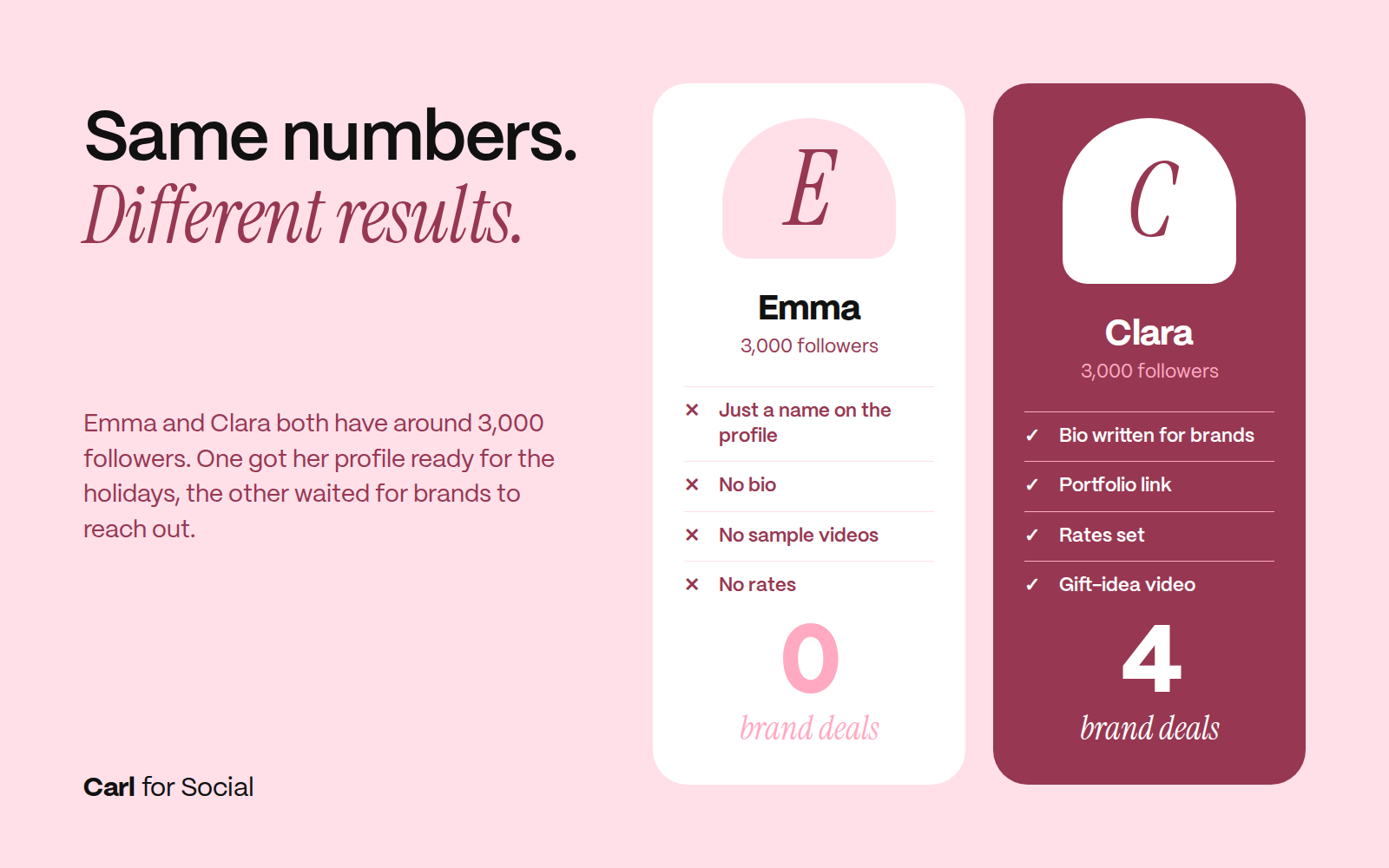
Emma and Clara both create beauty content. They each have around 3,000 followers, and both want to work with brands for Black Friday and the holidays. Emma set up a profile, filled in her name and waited for brands to reach out. Clara spent one evening getting ready in the Carl for Social app. She wrote a strong bio, added her portfolio link, set her rates and posted a TikTok called “3 gifts for Mom I’ve tested myself.” By December, Clara had four brand deals. Emma had none. The difference wasn’t talent or numbers. Clara simply knew what brands need to see. In a few minutes, you will too.
 Influencer or UGC creator? This guide works for both
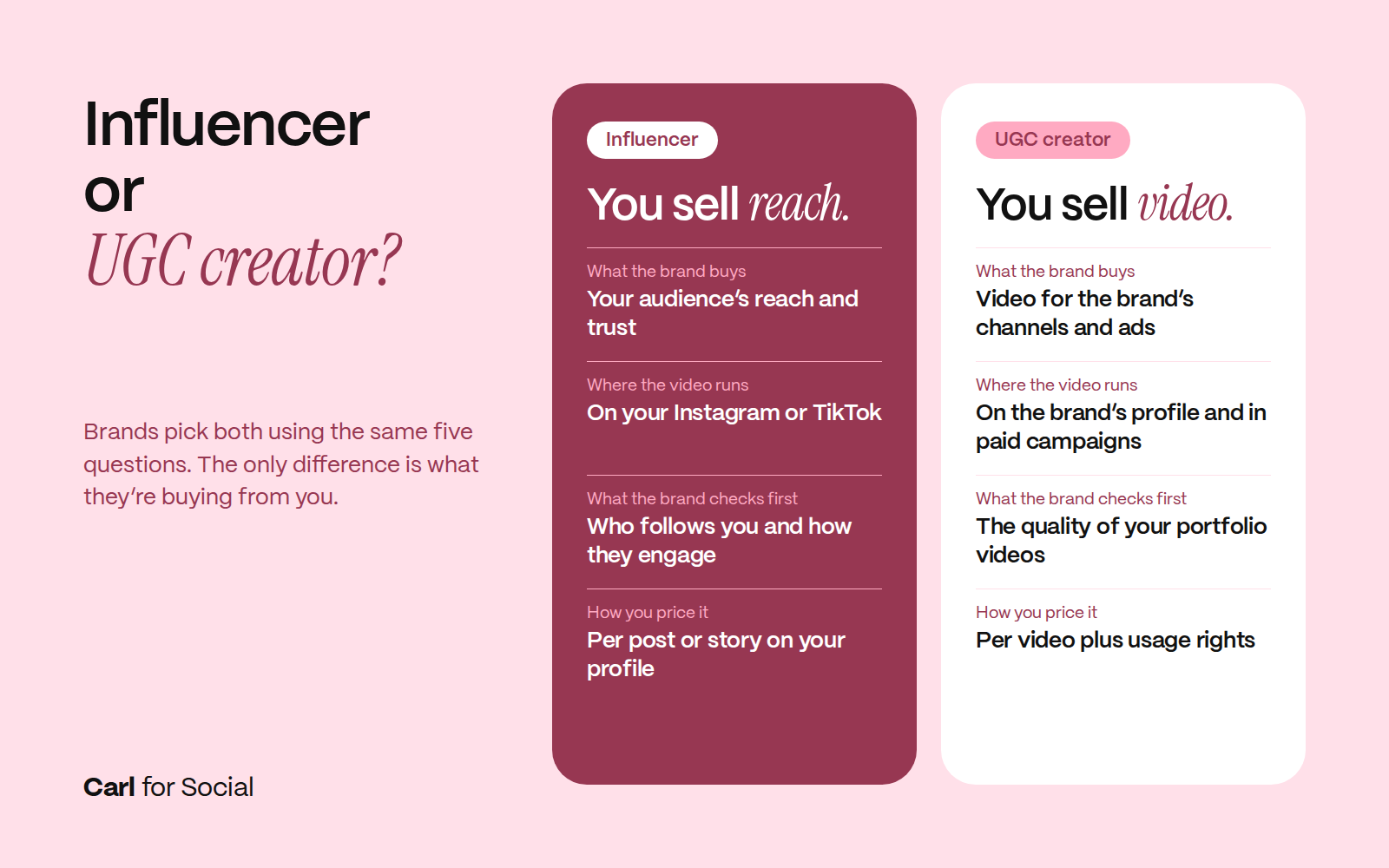
For Black Friday and the holidays, brands look for two types of creators, and they choose both using the same five questions. The only difference is what they’re buying from you.
 In the Carl for Social app, you can show both in one profile: connected socials for influencer deals and a portfolio link for UGC. If you do both, you’ll have more opportunities this season.
How brands choose creators
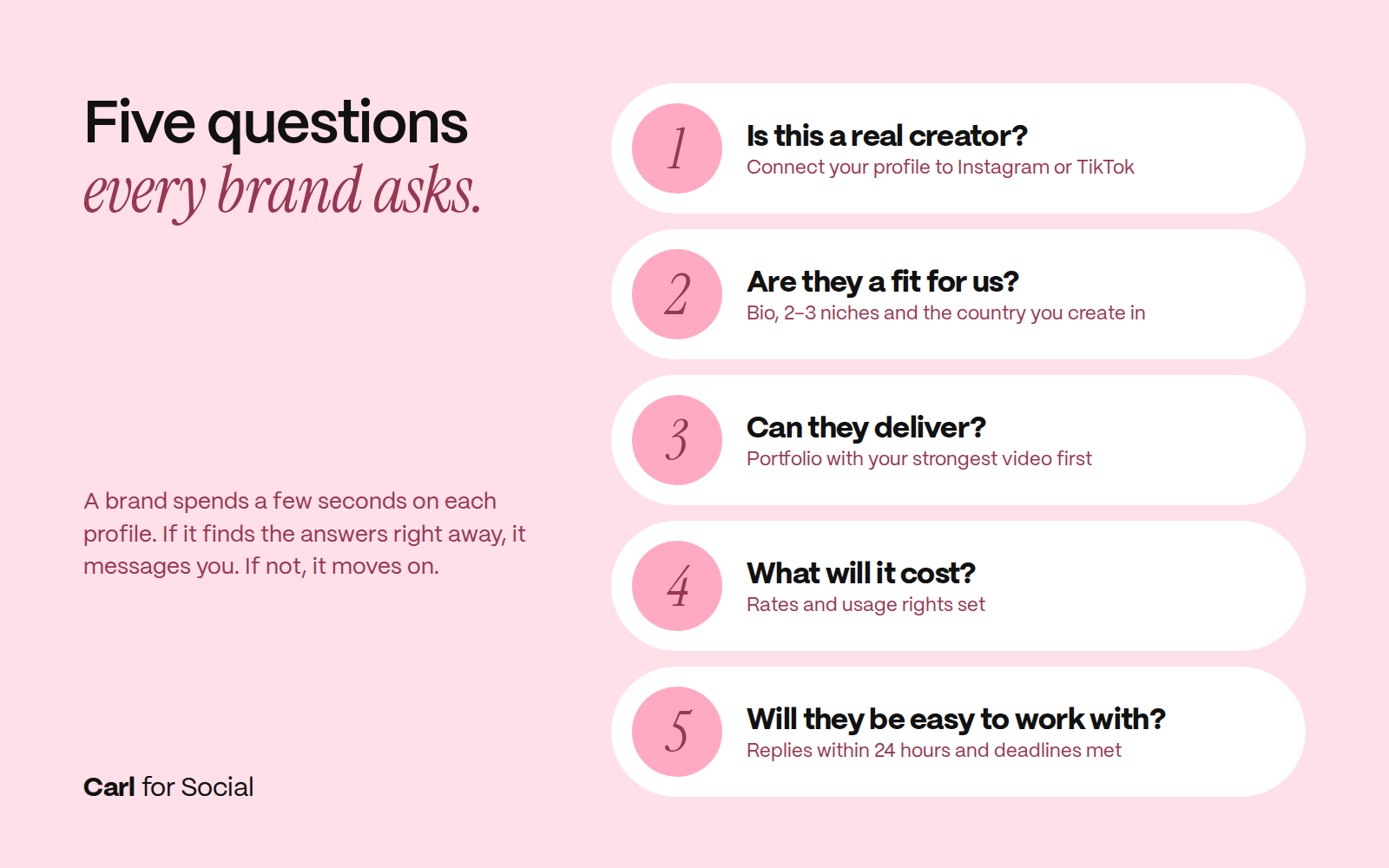
When a brand is planning a Black Friday or holiday campaign, it goes through dozens of profiles. It spends a few seconds on each one and asks itself five questions:
- Is this a real creator?
- Are they a fit for us?
- Can they deliver?
- What will it cost?
- Will they be easy to work with?
If it finds the answers right away, it keeps going. If not, it scrolls on. Let’s go through how to answer each question.
 How to show brands you’re a real creator
“Is this a real creator?” A brand wants to be sure there’s a real person with a real audience behind the profile.
What to do: In the Carl for Social app, connect your creator profile to at least one social network, ideally both Instagram and TikTok. The brand then sees your real data, and you don’t have to prove anything with screenshots.
Carl tip: Don’t be shy about smaller numbers. With influencers, brands mainly look at who follows you and how they engage. For UGC deals, video quality matters more than follower count.
How to write a bio that gets you picked
“Are they a fit for us?” A natural skincare brand isn’t looking for a creator who makes car videos. It wants someone who creates in its niche, for its market and in its style.
What to do: Write a bio that tells brands what they’ll get from you. Not what you love, but what you’re good at. Skip lines like “I love skincare and making videos.”
- UGC example: “Beauty creator from Austin. I make honest reviews and routines people save. Perfect for natural skincare.”
- Influencer example: “Lifestyle creator from Denver. My audience is mostly moms who come to me for gift ideas and tried-and-tested products for their kids.”
Pick 2–3 niches you create in. The more specific, the better. “I create everything” won’t convince a brand. Add the country you create in. A US brand needs content for a US audience.
What videos to put in your portfolio before the holiday season
“Can they deliver?” This is the most important question, and your videos answer it.
What to do in your portfolio:
- Only include your best work. 10 strong videos beat 40 average ones.
- Put your strongest video first. Brands often only see the first two or three.
Carl tip: In the Carl for Social app, you can add a link to your portfolio to your profile. Brands see your best videos right next to your rates and connected socials, without having to search for you online. As an influencer, you can also show results from past collaborations there. Add at least two seasonal videos: a winter routine, a gift idea or an unboxing. They don’t have to be paid collaborations. A product you already use and genuinely love is enough.
What to do on Instagram and TikTok:
Brands often check out your socials too. Here are five types of videos worth filming before the season:
- On-camera intro. “I’m a UGC creator and here are 3 things I do differently.” Brands see how you speak and come across.
- A tip from your niche. “A 3-step winter routine for dry skin.” You show you understand the product.
- Gift ideas. “Gifts for the person who has everything. I tested them for you.” This is exactly what brands look for around the holidays.
- Behind the scenes. “Here’s how one of my videos comes together.” Brands see you have a process.
- Unboxing with a story. “Unboxing something I’ve waited all year for.” Works for both Black Friday and the holidays.
Carl tip: The first three seconds decide everything. A strong hook tells brands you can make videos people watch to the end. Got your videos ready? Download Carl for Social, add your portfolio link to your profile and apply for Black Friday and holiday collaborations.
How much to charge and how to set usage rights
“What will it cost?” If a brand can’t see your rate, it often won’t reach out at all. It would rather go to a creator whose costs it knows upfront.
How to find your rate: Work out how long one video takes you, from idea through filming to editing. Say, three hours. Then decide what you want to earn per hour and multiply. That’s your base rate. You can raise it as you land more deals and get better results. As an influencer, you’ll also set a rate per post or story on your profile; as a UGC creator, per video plus usage rights.
Don’t want to list an exact price? At least write “from $X.” Especially as a UGC creator, this gives brands a concrete idea of what to expect, so they’re not buying blind. You can then fine-tune the final amount based on the brief, the number of videos and the usage rights.
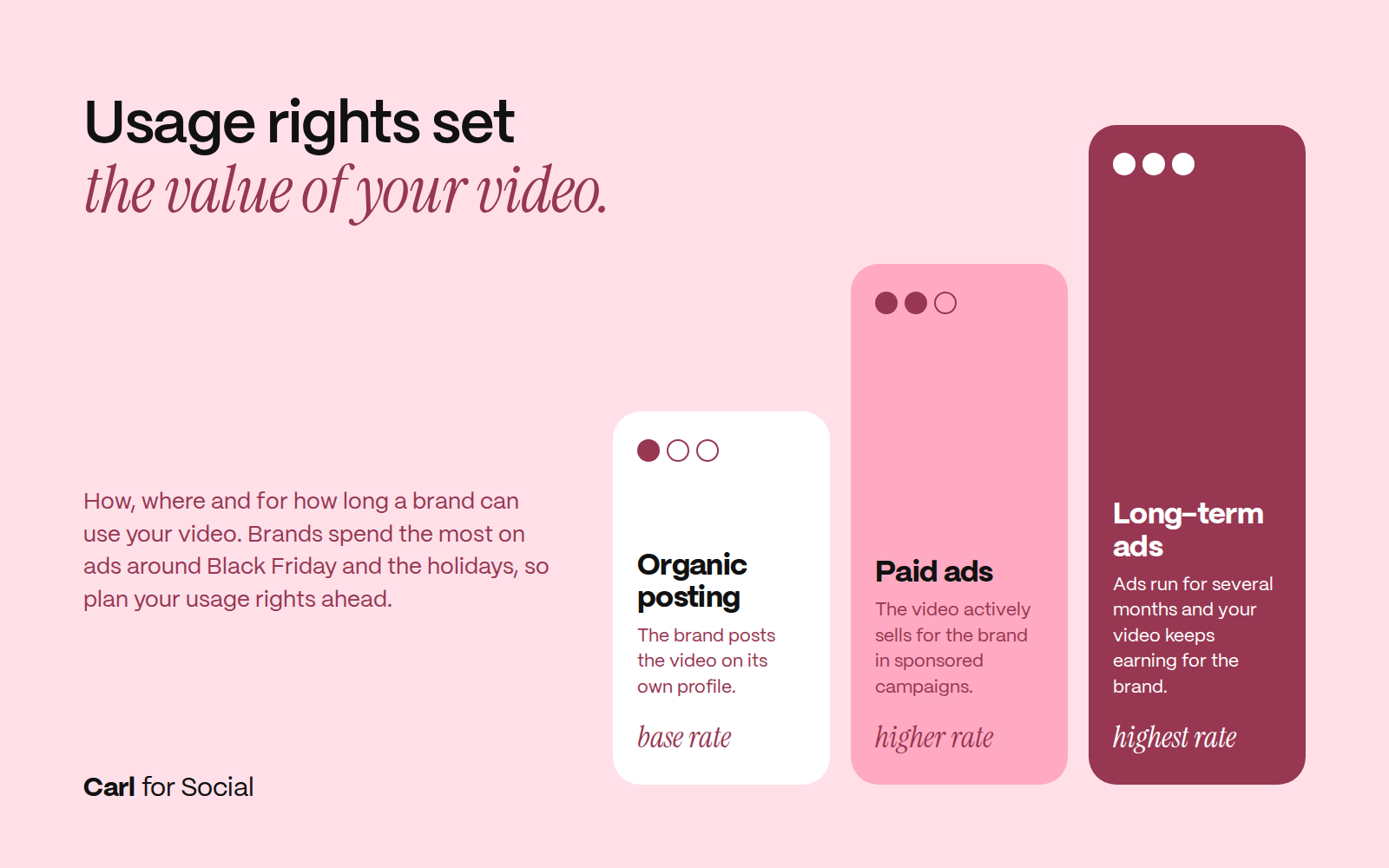
Don’t forget usage rights. Usage rights define how, where and for how long a brand can use your video:
- Organic posting on the brand’s profile: basic use
- Paid ads: the video actively sells for the brand
- Long-term ads (several months): your video keeps earning for the brand
The broader the use, the higher the price. Brands spend the most on ads around Black Friday and the holidays, so it pays to plan your usage rights ahead. In Carl for Social, you set your rates right in your profile, in your own currency and including usage terms. Brands see everything at once, and there’s nothing to haggle over.
 How to work with brands so they come back
“Will they be easy to work with?” You don’t answer this with your profile, but with how you act and how you come across in your videos. This is where one collaboration turns into more.
- Only apply where it makes sense. Ask yourself: Would I use this product even if it weren’t a collaboration? If yes, your content will feel natural.
- Reply fast. Brands often talk to several creators at once. Whoever replies first and clearly has the edge. Ideally within 24 hours.
- Stick to what you agreed. Brief, deadlines, format. If you agree on everything in the chat right inside the collaboration on Carl for Social, it’s all in one place and you can come back to it anytime.
- Deliver quality work. A happy brand comes back, and a Black Friday or holiday collaboration can turn into a long-term partnership.
Carl tip: After each collaboration, add your best video to your portfolio. Your profile grows with every deal.
4 mistakes that keep brands from choosing you
- Incomplete profile. Without a bio and samples, brands don’t know what to expect.
- No rates. If a brand doesn’t know what to budget, it’ll reach out to someone else.
- Applying for everything. A beauty creator pitching for a power tools campaign doesn’t look credible.
- Slow replies. Three days of silence and the deal goes to someone else.
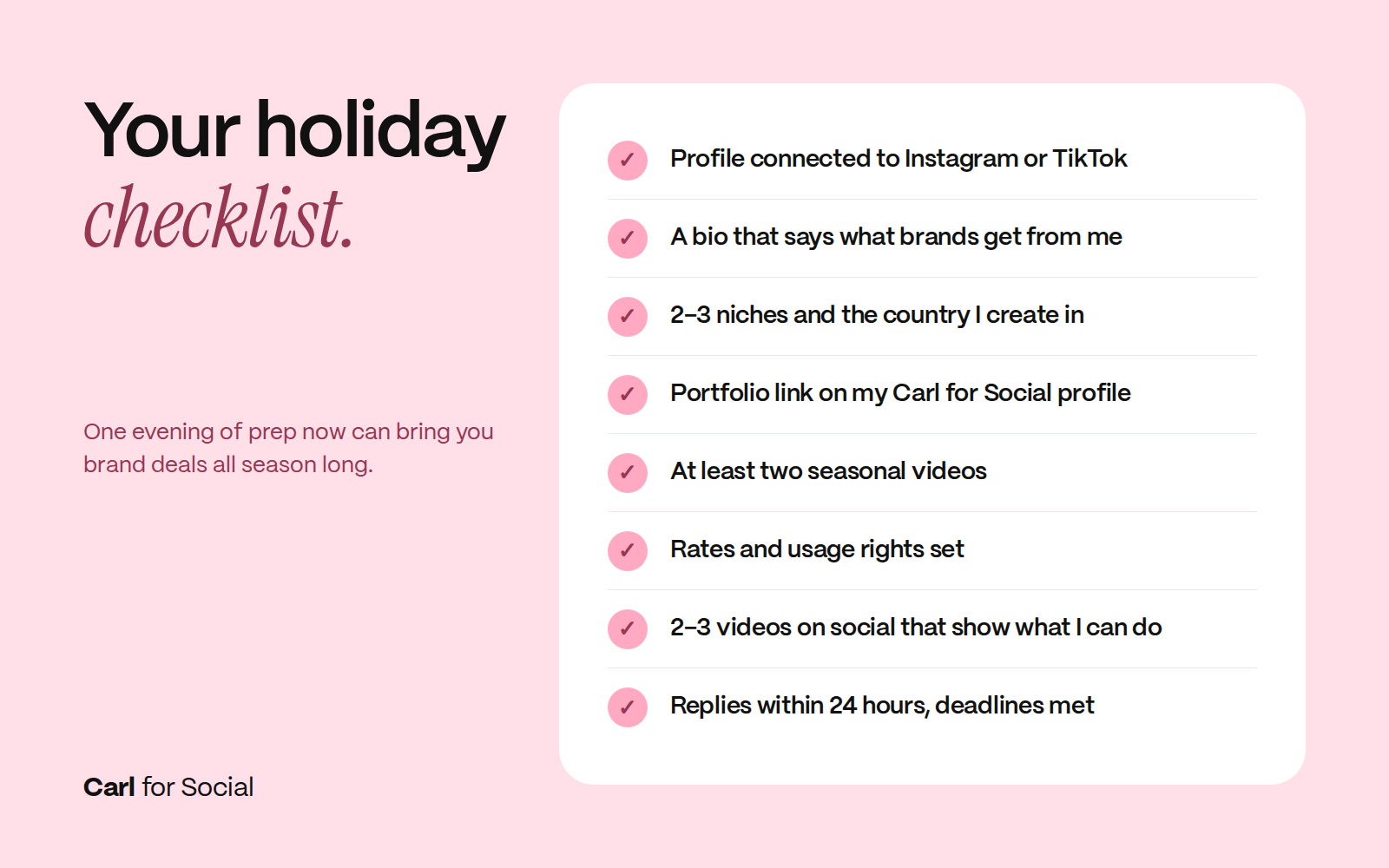
Your holiday season checklist
- Profile connected to Instagram or TikTok
- A bio that says what brands get from you
- 2–3 niches and the country you create in
- Portfolio link on your Carl for Social profile, strongest video first
- At least two seasonal videos
- Rates and usage terms set
- 2–3 videos on social that show what you can do
- Fast replies and deadlines met
 Clara didn’t have more talent or more followers. She just knew what brands look for. Now you do too.
FAQ
When should I start preparing for holiday collaborations?
Ideally in October. Brands plan Black Friday and holiday campaigns ahead of time, so creators with a finished profile get offers first.
Can I land a brand deal with a small following?
Yes. Especially for UGC deals, brands care more about video quality than follower count.
How do I price a UGC video?
Figure out how many hours a video takes you, multiply that by your hourly rate and add usage rights based on how and for how long the brand will use the video.
What’s the difference between an influencer and a UGC creator?
An influencer posts content on their own profile, and the brand pays for reach to their audience. A UGC creator makes videos the brand uses on its own channels and in ads, so video quality and usage rights matter more than follower count.
Where can I show brands my portfolio?
In your creator profile on the Carl for Social app. Add your portfolio link, connect Instagram or TikTok and set your rates so brands see everything in one place.
Carl for Social
Don't miss what's coming next.
Stay on top of social media trends and tips that help you grow your content on Instagram, TikTok, Facebook, and YouTube. Download Carl for Social — it's free.
Download app